
News Update
Changes to the Access Methods to Healthcare Application and Licensing Portal (HALP)-Biosafety Module (HALP-BS)
1 July 2026
Please be informed of upcoming changes to accessing the HALP-BS log in page. With effect from 6 July 2026, HALP-BS can be accessed either via two routes as detailed below.
Option 1: Via the current HALP main page (see Diagram 1)
a) Click on https://halp.moh.gov.sg (opens in new tab) to navigate to the current HALP log in page.
b) Click on the provided link in the blue ribbon at the bottom of the page to be redirected to the HALP-BS login page (https://bsb.moh.gov.sg (opens in new tab)), see Diagram 2.
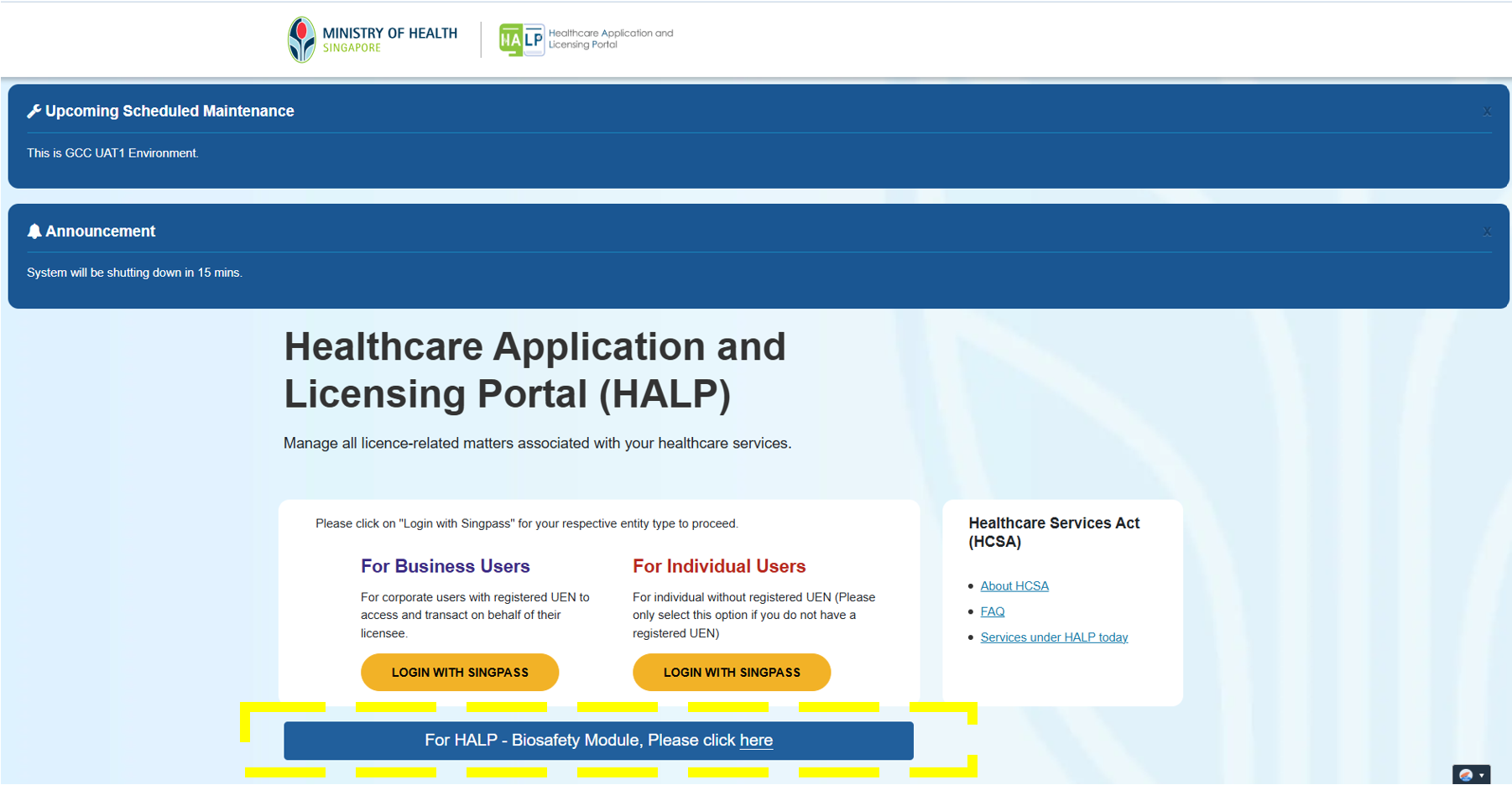
Diagram 1. Screenshot of HALP log in page, with link in the blue box at the bottom of the page which redirects users to the HALP-BS login page.
Option 2: Direct Link Access to HALP-BS login page (see Diagram 2)
a) Click on https://bsb.moh.gov.sg (opens in new tab) to navigate directly to the HALP-BS login page.
b) Select the appropriate ‘Type of Biosafety Facility’ using the corresponding radio button (i.e. Login as Facility User or Approved Facility Certifier)
c) Log in using individual business CorpPass credentials.
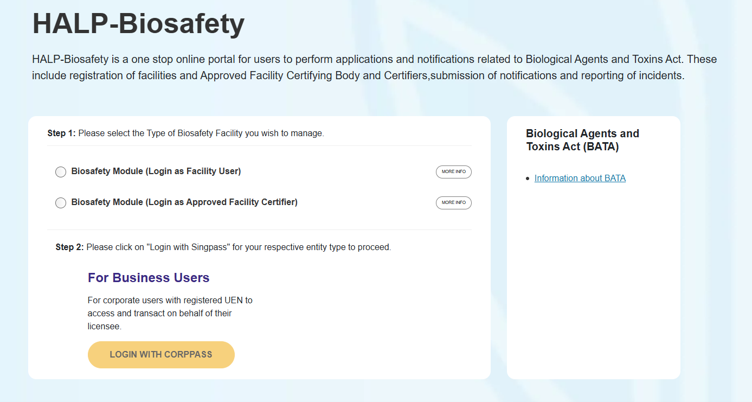
Diagram 2. Screenshot of HALP-BS login page, for users to login.
For further clarification or assistance on this matter, you may wish to contact us through the contact details available on our Contact us page.